
How to Delete Character AI Account (Desktop & Mobile)
Are you tired of character AI limitations? Do you want to know about deleting your character? AI account? Character AI is a useful platform that gives you unique features for fun and emotional support, but it’s time for a change. You are searching for a fresh startup. Account deletion is easy, but it requires some attention. In this article, we will guide you on how to delete your Character AI account on mobile and desktop. Some users prefer the older interface and filter experience you can read our guide on Character AI’s old version, features, benefits, and immersive experience for more context.
Step-by-step Guidance to remove the Character AI account on the Desktop
If you are using Character AI in desktop and want to know how to delete a Character AI account, then you can follow these steps
╰┈➤ˎˊ˗Step 1: Go to your profile.
First of all, log in to your character. An AI browser on your desktop. In the corner, click the icon of your profile to open the main menu for your username.
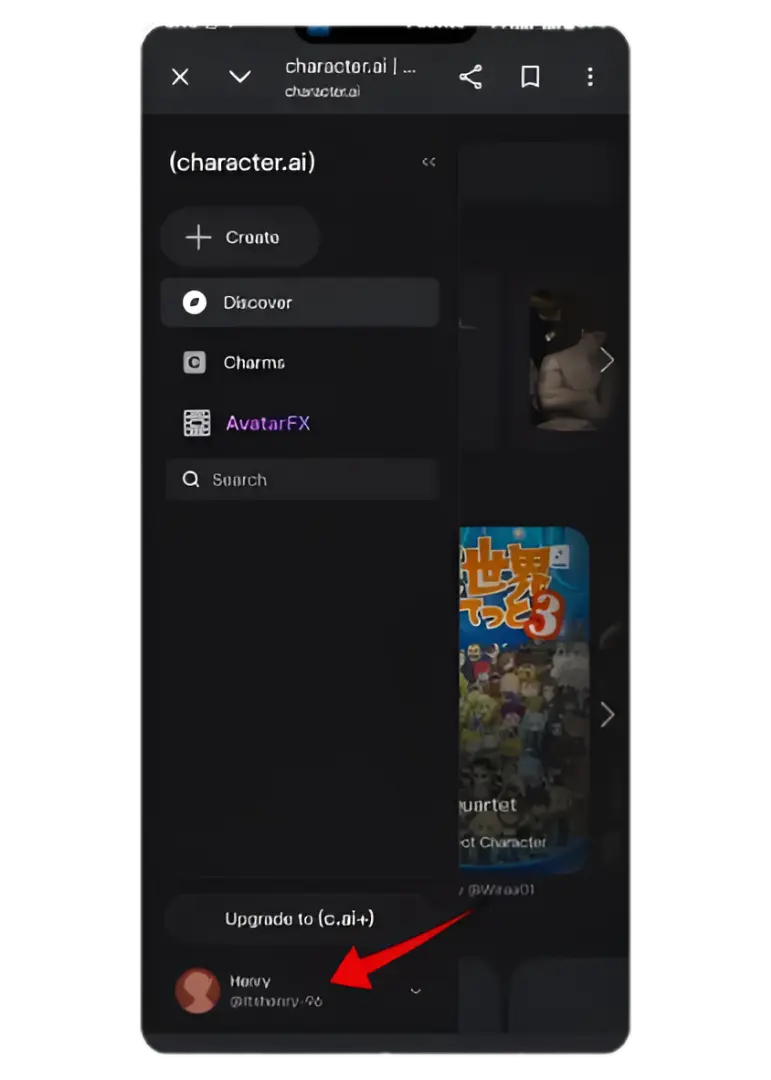
╰┈➤ˎˊ˗Step 2: Open your profile settings
From the dropdown menu, choose to access your settings page on the desktop.
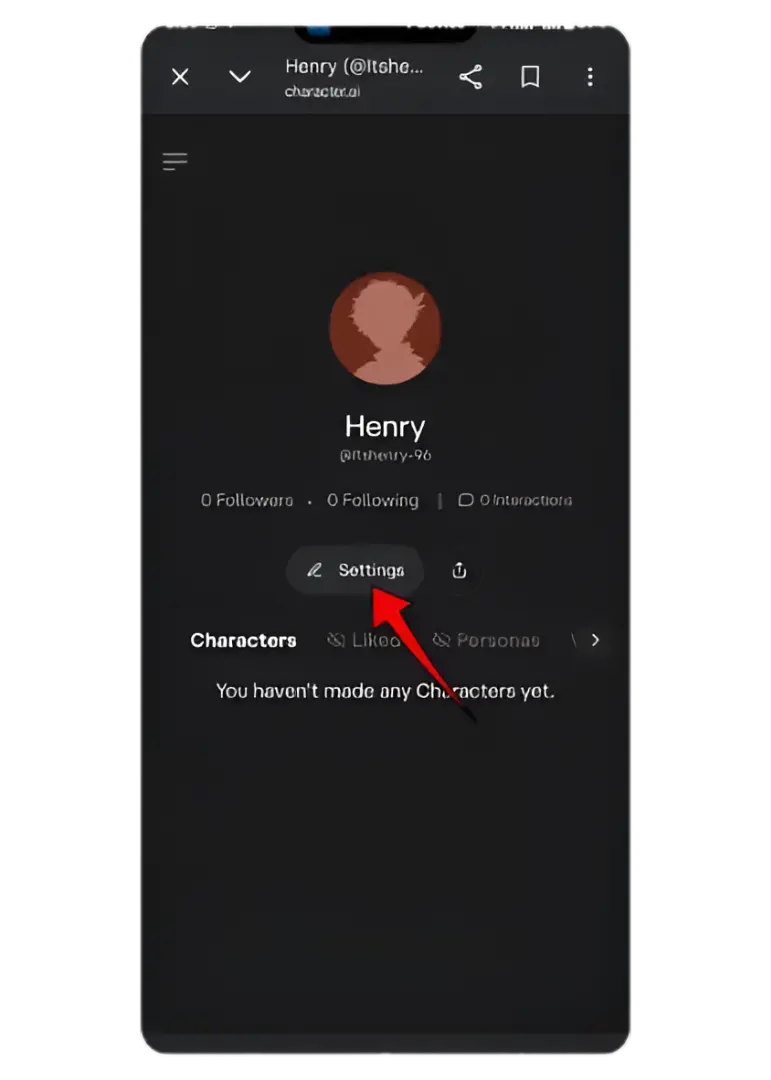
╰┈➤ˎˊ˗Step 3: Access Account Settings
Open your account in which your personal information is available. Click to find other options related to preferences.
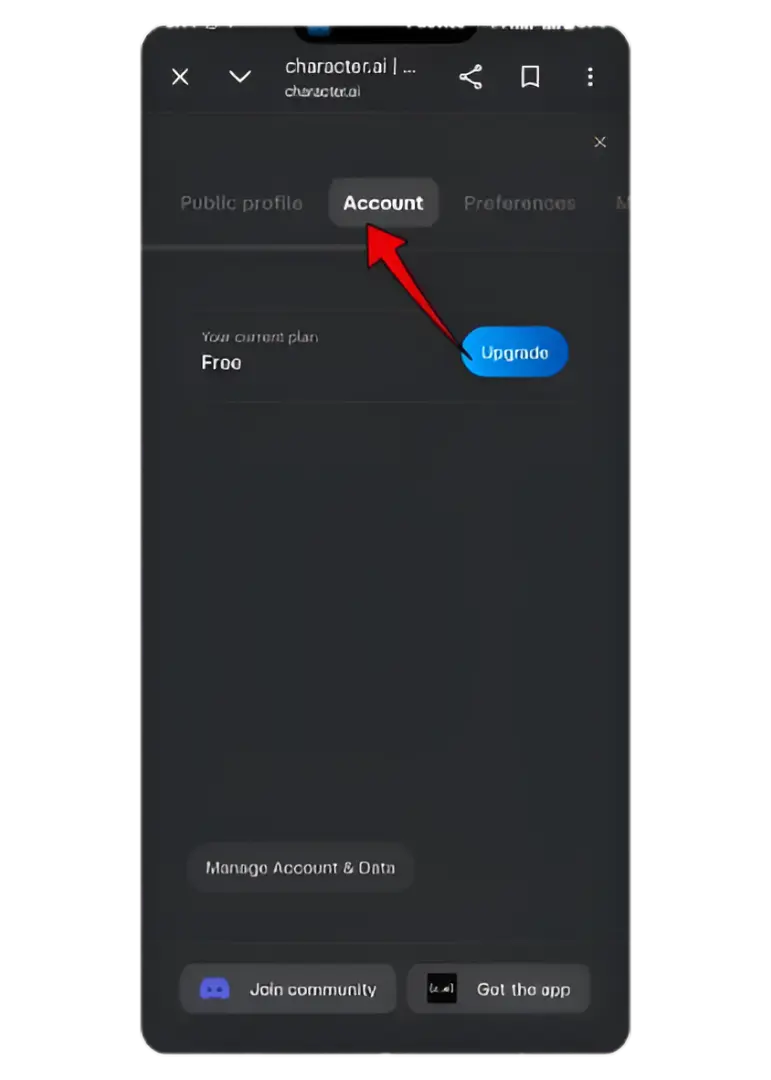
╰┈➤ˎˊ˗Step 4: Select ‘Remove account’
Scroll down to find the account delete option.
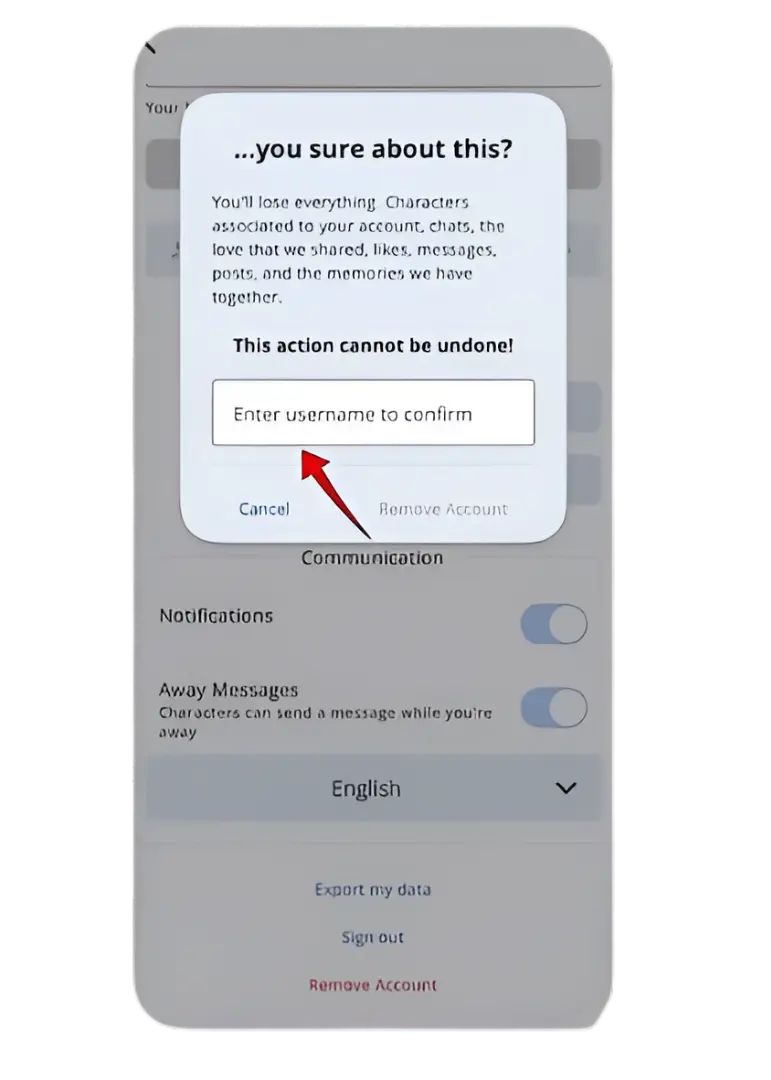
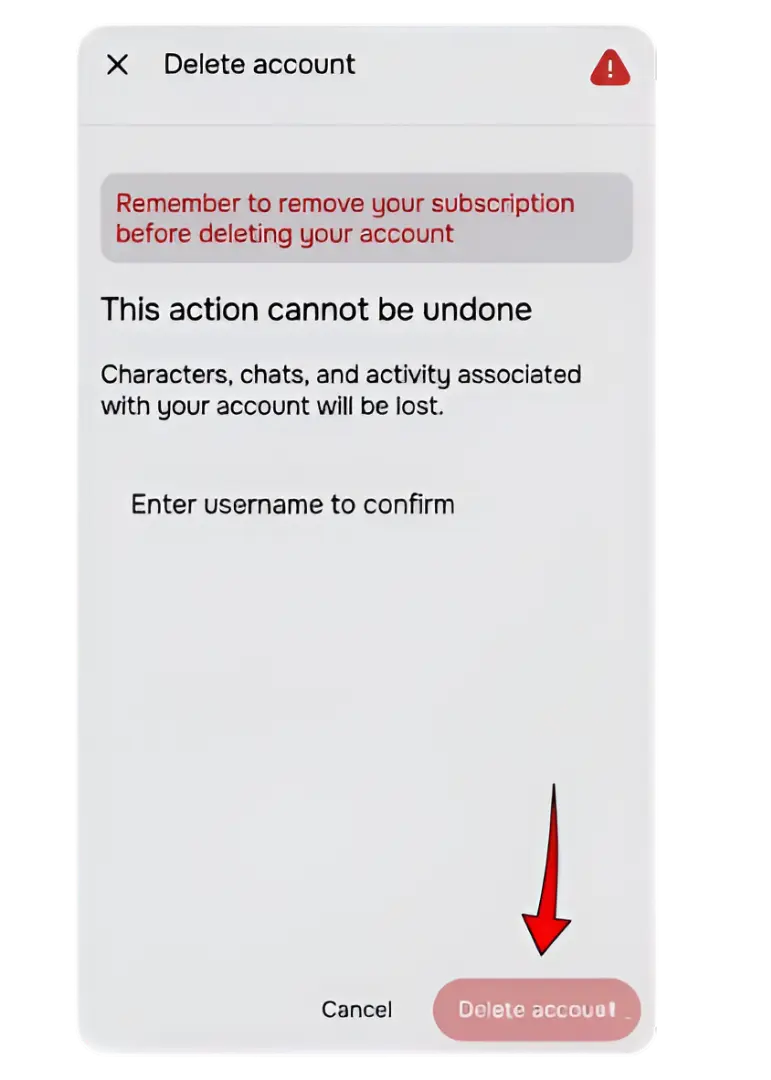
╰┈➤ˎˊ˗Step 5: Confirm Account Deletion
After the complete process, you will be asked to enter your username for confirmation. Your character AI account will be deleted permanently, and you will not be able to recover the character AI account.
How to Delete Character AI Account Via Mobile
If you are using character AI through mobile follows these simple steps
╰┈➤ˎˊ˗Step 1: Open your profile
Open the Character AI app on your mobile device. Once the app is opened, tap on your profile picture or profile icon to access your profile page.
╰┈➤ˎˊ˗Step 2: Access Settings
On your profile page, you will need to locate the icon for Settings. This is normally symbolised by a gear icon and can be found at the top right or bottom part of your profile page. Simply click on this icon to access the settings menu of the app.
╰┈➤ˎˊ˗Step 3: Choose ‘Remove Account’.
Scroll down through the settings menu until you find the Remove Account option in the mobile app. This option is usually located near the bottom of the list and may appear in the lower section of the screen. Once you see it, tap on Delete Account to proceed.
Why do people delete Character AI accounts?
Some of the main reasons why people delete Character AI accounts are discussed below
- To start with new energy, they want to explore a vibe with a new story or character
- Try a different character style
- Emotionally, people want to feel safer and more at ease because of attachment
- Privacy: Some people want to separate fun chat from professional work
Try DreamGen for a Fresh Start
You can try DreamGen for a fresh start to make your journey creative and flexible with Character AI. When users delete their accounts, they often search for a platform where they can easily express their ideas without facing any hesitation.
In Character AI, limited control or content filters sometimes reduce creativity; that’s why many users do not express their role-play story. DreamGen solves these issues with these unique features
- Create your own character
- Roleplay with multiple characters
- Control the direction of your stories
- No content limitation
- Nabage your privacy
This platform is ideal for users who want a simple chat. You can enjoy these features as you want and explore more options.